
Cointiply started life as a website, and for years the website was the app. Today plenty of people want it on their phone so they can fire off the hourly faucet roll from the bus, knock out a survey in a queue, or check their coin balance without booting a laptop. That's completely reasonable — mobile is where casual faucet grinding actually happens. The problem is that "Cointiply app download APK" is one of the most abused search phrases in the whole faucet space, and the wrong download can cost you far more than it earns.
This guide keeps it simple and safe. We'll cover whether an official mobile app exists, the three legitimate ways to run Cointiply on Android, how iPhone users get the same experience, and — most importantly — the red flags of the fake APKs that flood the internet. Wherever we mention specifics, treat the official site as the source of truth.
Is there an official Cointiply app?
Here's the honest situation. Cointiply has historically offered an official Android app via Google Play, while the full platform always remains available as a polished mobile website. There has never been a need to sideload a random .apk from a file-locker site — and that's the single most important takeaway on this page. If an APK isn't coming from Google Play or a link on the official cointiply.com domain, assume it's hostile.
On iOS the story is different: rather than chasing an App Store listing, the smartest move for iPhone users is the web app (PWA) approach — running the site in Safari and adding it to the home screen so it behaves like an installed app. More on that below.
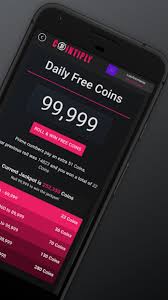
Android: app, APK & PWA
Android users have three legitimate paths. In order of preference:
-
Google Play (preferred)
Open the Play Store and search for the official Cointiply listing, or follow the download link from cointiply.com. Play-distributed apps are scanned and auto-updated — this is the safest route, full stop.
-
Install it as a PWA (no store needed)
Open cointiply.com in Chrome, tap the ⋮ menu, and choose "Add to Home screen" / "Install app." You get an app icon and a full-screen experience with zero sideloading risk. This is our favourite method — light, safe and always up to date.
-
An official APK link (only from the official domain)
If the platform offers a direct APK, download it only from a link on cointiply.com. You'll need to allow "install from this source" once. Never grab an APK from APK-mirror clones, Telegram groups or YouTube descriptions.
iPhone & iPad (iOS)
iOS users don't miss out. The full Cointiply experience runs beautifully in Safari, and you can make it feel native in seconds:
-
Open the site in Safari
Go to cointiply.com in Safari (not an in-app browser). Log into your account as normal.
-
Add to Home Screen
Tap the Share icon → "Add to Home Screen." An app icon appears on your springboard and launches full-screen — your pocket faucet, no App Store hunt required.
-
Enable notifications & stay logged in
Allow browser notifications if you want hourly-roll reminders, and keep 2FA on. Done.
Why PWA beats hunting for an iOS app: it's instant, takes near-zero storage, updates automatically with the website, and removes any risk of installing an impostor app. For a faucet, that's the ideal setup.
The fake APK & "auto-clicker" trap
This is the section that actually protects you. Search "Cointiply APK mod" or "Cointiply auto-clicker" and you'll find a swamp of files promising to "auto-roll the faucet," "unlock 100,000 coins," or "mine while you sleep." Every single one is a lie, and they fall into two buckets:
- Malware. Sideloaded APKs from sketchy mirrors routinely bundle spyware, banking trojans, or hidden browser-mining scripts that cook your battery and steal credentials.
- Ban-bait. Even a "working" auto-clicker is fraud in the platform's eyes. Automating rolls violates the rules and gets your account — and balance — permanently frozen.
There is no legitimate auto-clicker, mod, or "unlimited coins" APK for Cointiply. Anything promising automated earnings is either malware aimed at your phone or a fast track to a permanent ban. Real coins come from real actions on one real account.
Safe-install checklist
✅ Install only if all of these are true
- The source is Google Play or a link on the official cointiply.com domain.
- You're not being asked to disable your antivirus or grant accessibility/over-other-apps permissions.
- The app isn't promising automation, mods, or "free unlimited coins."
- Your phone has a reputable mobile antivirus/Play Protect enabled.
- You're installing one app for one account — no clone apps for "extra accounts."
What you can actually do in the app
Whether you use Play, the Android PWA or the iOS home-screen app, the feature set mirrors the website:
| Feature | On mobile? | Notes |
|---|---|---|
| Hourly faucet roll | Yes | The reason most people install it — tap and go |
| PTC ads | Yes | Quick filler coins between rolls |
| Offerwalls & surveys | Yes | Some offers run better on desktop; check requirements |
| Daily spin & quests | Yes | Don't break your daily streak |
| Withdraw to BTC / DOGE / FaucetPay | Yes | Same options as the web |
| Promo code redemption | Yes | Enter codes in the Promos section |
The one habit that matters most on mobile is the daily login. The app makes it trivial to keep your loyalty multiplier climbing — a 10-second tap each day is worth more over a month than a marathon faucet session.
Quick troubleshooting
- App won't load / blank screen: clear the browser cache or reinstall the PWA; check you're on the real domain.
- Can't log in on mobile but can on desktop: usually a 2FA time-sync issue — check your authenticator app's clock.
- Offers not crediting: disable aggressive ad-blockers for the offerwall only, and give offers time to post; many credit after a delay.
- "Suspicious activity" warning: don't switch networks/VPNs mid-session — it can look like account sharing.
New to the platform entirely? Start with our login & registration guide, then read the full review to set realistic earning expectations, and bookmark the promo code guide for free coins.
FAQ
Is there an official Cointiply app for Android?
Historically yes, via Google Play, and the site also installs as a PWA. Only ever download from Google Play or a link on the official cointiply.com domain — never a third-party APK mirror.
How do I use Cointiply on iPhone?
Open cointiply.com in Safari and use Share → "Add to Home Screen." It runs full-screen like a native app, updates automatically and carries zero sideloading risk.
Is the Cointiply APK safe?
Only if it comes from Google Play or the official domain. APKs from random mirrors, Telegram or YouTube links frequently contain malware. When in doubt, use the PWA instead.
Can I run two accounts using a clone app?
No. One account per person — clone/parallel apps to run multiple accounts are treated as fraud and get balances frozen. Don't risk it.